Every track at the
right level
Get all your playback files to the same level before soundcheck. Your artists won't notice. That's the point.
or download the free demo — try it before you buy
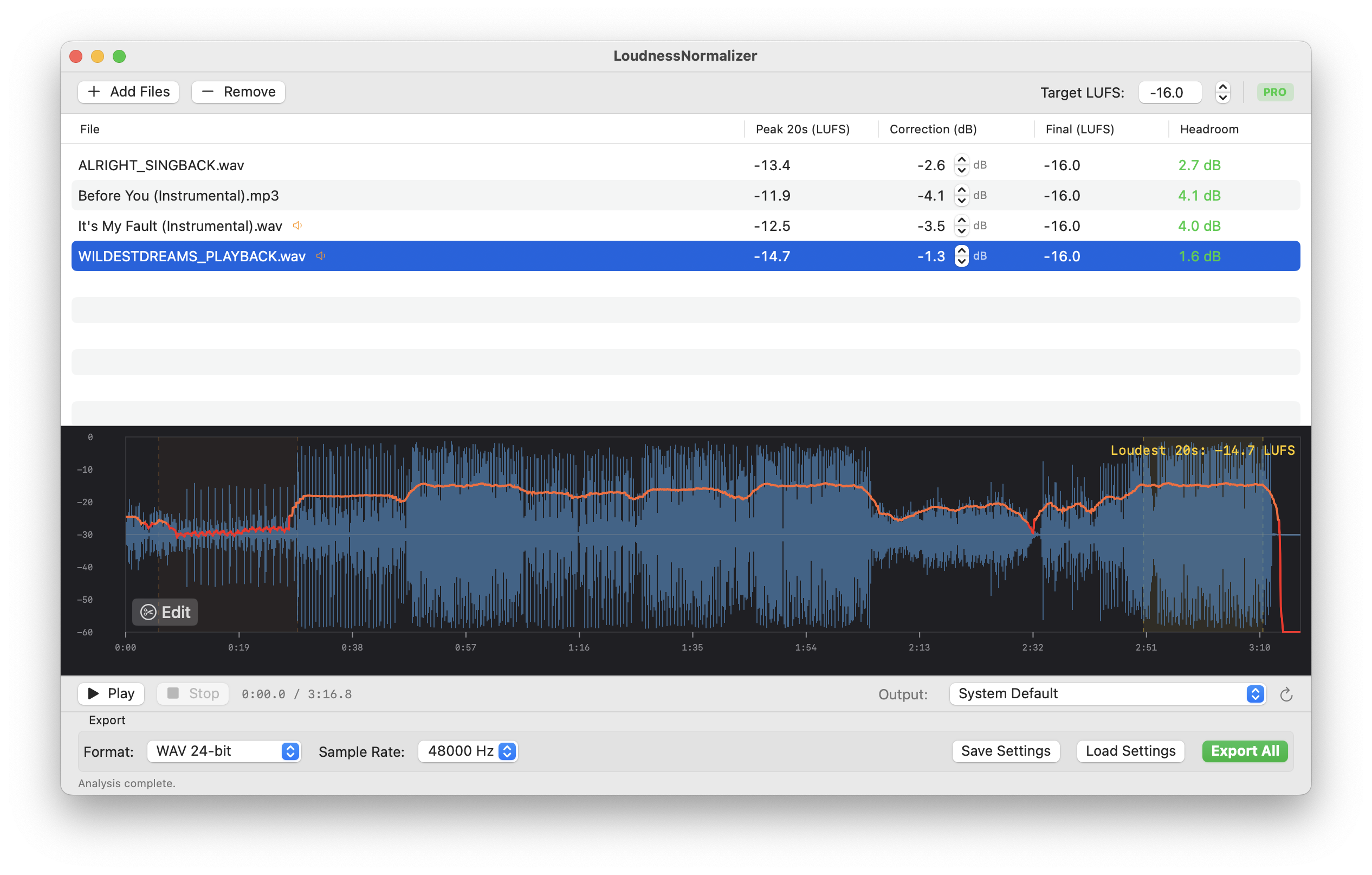
Playback files come in at different levels
Backing tracks from different studios, different producers, different mastering chains — every file lands at a different level. So you either fire up a DAW and fix every file before soundcheck, or you're stuck riding the fader between songs. Neither is great.
Normalize everything in one batch
Drop your files in, set your target loudness, export. Every track hits the same level — no DAW session needed. Focus on the show, not on file prep.
File drops mid-show? Same thing — drag, normalize, done in seconds. No guessing.
What it does, nothing more
LUFS-based normalization
Industry-standard integrated loudness measurement. Set your target and every file lands exactly where you want it.
Batch processing
Drop in your entire show folder. Process dozens of files at once instead of opening each one in a DAW.
Fast processing
Native macOS performance. No Electron bloat, no cloud processing. Your files stay on your machine.
Adjustable target
Choose your target LUFS level to match your venue, playback system, or show requirements.
All major formats
WAV, AIFF, MP3, M4A, FLAC — whatever your playback system needs, we handle it.
Files stay local
Everything runs on your Mac. No uploads, no cloud, no data collection. Your audio stays yours.
Manual edit mode
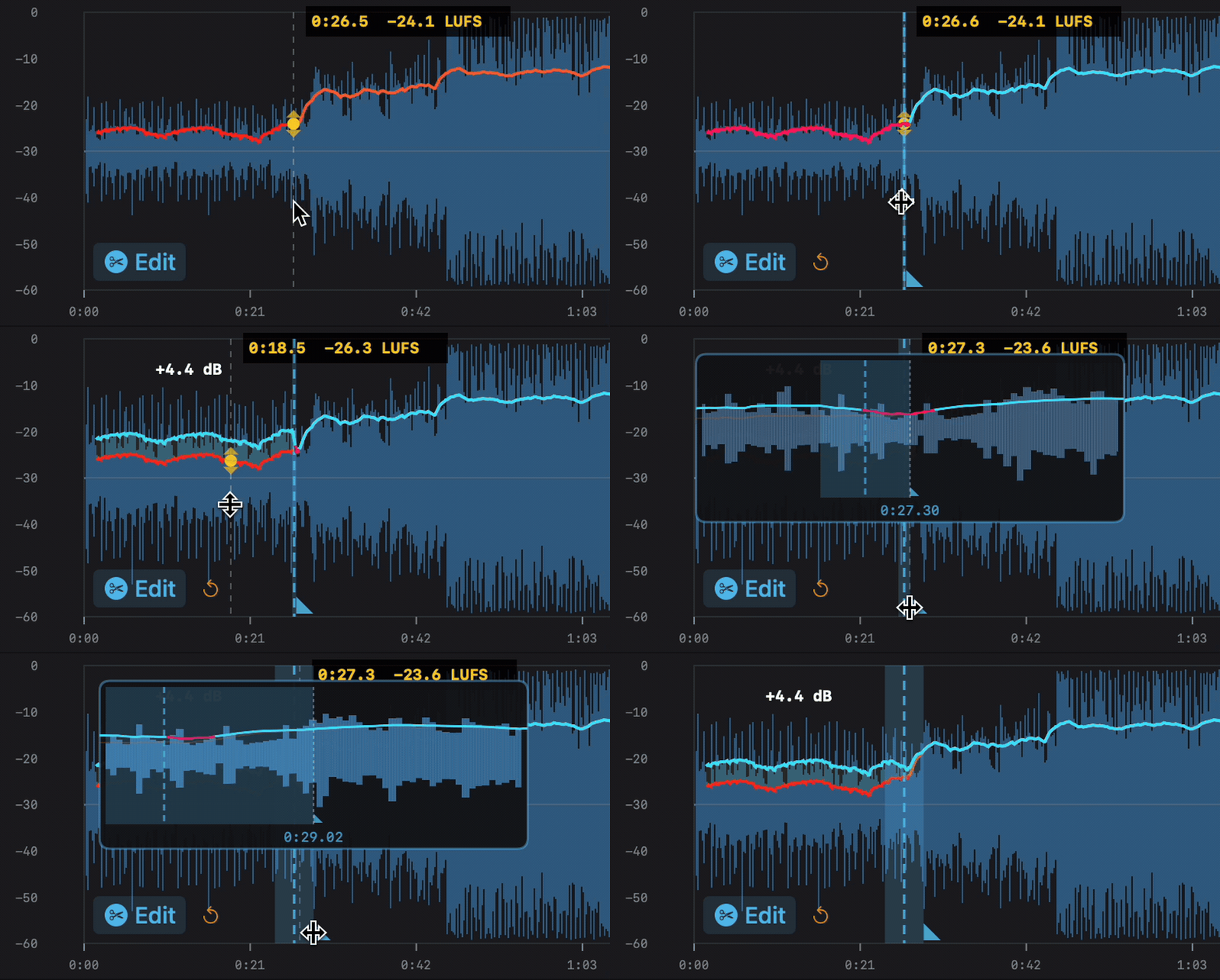
Quiet intros, crushing choruses — all evened out before soundcheck. Split any track into segments, adjust gain per section, add fades, and preview in real-time. No more scrambling for the fader when the chorus hits.
Three steps to show-ready files
Drop your files
Drag your playback folder or select individual audio files. Mix and match formats — it doesn't matter.
Set your target
Choose your target loudness in LUFS. Common choices: -14 LUFS for streaming reference, -23 LUFS for broadcast, or whatever your show needs.
Normalize & go
Hit export. Your files are normalized to the same consistent level. Load them into your playback system and focus on the show.
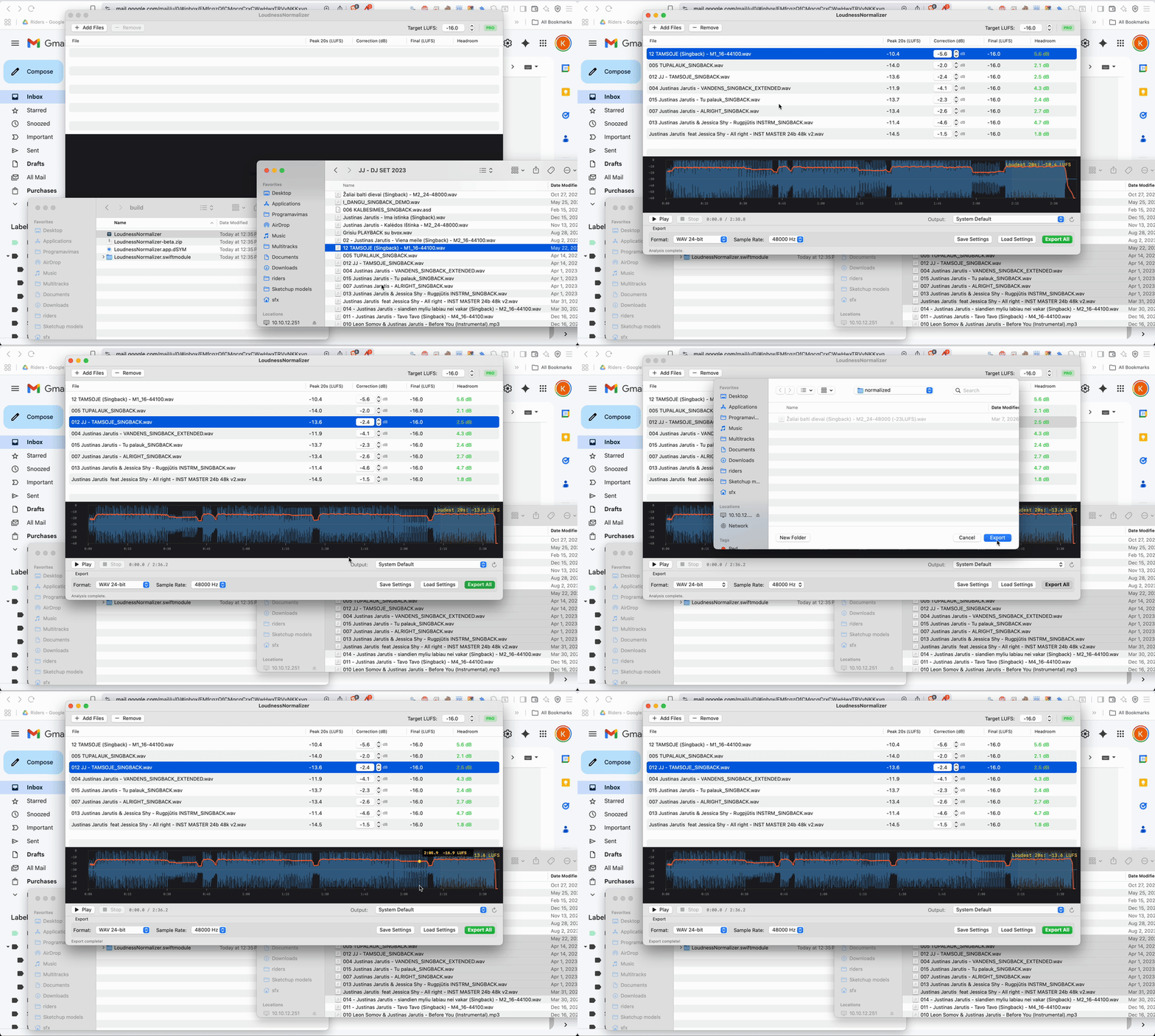
Drop files in, set your target, export. That's it.

Hey, I made this
I'm a full-time sound engineer. Between gigs, tours, and late-night load-outs, I kept running into the same problem — playback files from different sources all coming in at wildly different levels. Every show meant tedious prep work in a DAW just to get consistent loudness across tracks.
So I built LoudnessNormalizer to solve it for myself. It does one thing and does it well. I hope it saves you the same headache it saved me.
One tool, one price, no subscription
- ✓ Unlimited batch normalization
- ✓ All audio formats supported
- ✓ Adjustable LUFS target
- ✓ Native macOS performance
- ✓ 1 license activation per purchase
- ✓ Free updates within v1.x
Skip the DAW. Save hours of show prep.
Want to try it first? The free version lets you normalize 1 file at a time — no time limit, no signup.
Download free demoCommon questions
What macOS version do I need?
LoudnessNormalizer requires macOS 13 (Ventura) or later. Works on both Intel and Apple Silicon Macs.
How many Macs can I use it on?
Each license key activates on 1 Mac. If you switch machines, you can deactivate and reactivate on a new one.
What audio formats are supported?
WAV, AIFF, MP3, M4A, AAC, FLAC, OGG, WMA, and most other common audio formats.
Is this a subscription?
No. One-time purchase, yours to keep. All minor updates (v1.x) are included at no extra cost.
Do my files get uploaded anywhere?
No. All processing happens locally on your Mac. Your audio files never leave your machine.
Is there a free version?
Yes! The free version works with 1 file at a time. Upgrade to Pro for unlimited batch processing.